File Revision History
With File Revision History, you can view the modification records of files and restore files to any version anytime, anywhere.
NOTECurrently only supported for cloud disk synchronization.
Right-click (long-press on mobile devices) the open file tab to bring up the right-click menu, then select Revision History to view the file’s modification records.
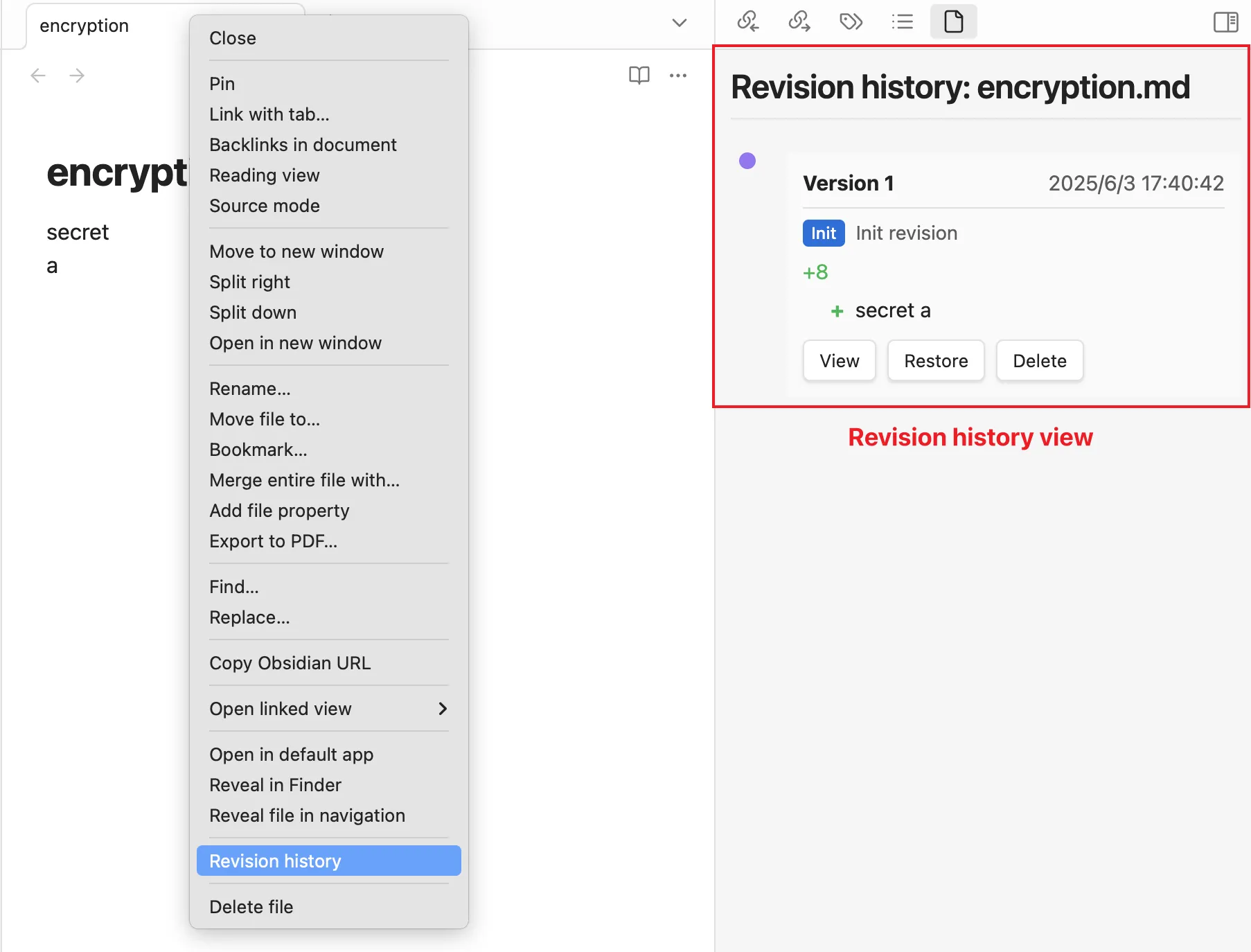
- Click the
Viewbutton to check the modification records of the file. - Click the
Restorebutton to revert the file to any version. - Click the
Deletebutton to remove any version of the file.